FPS Meaning: Frames Per Second Explained
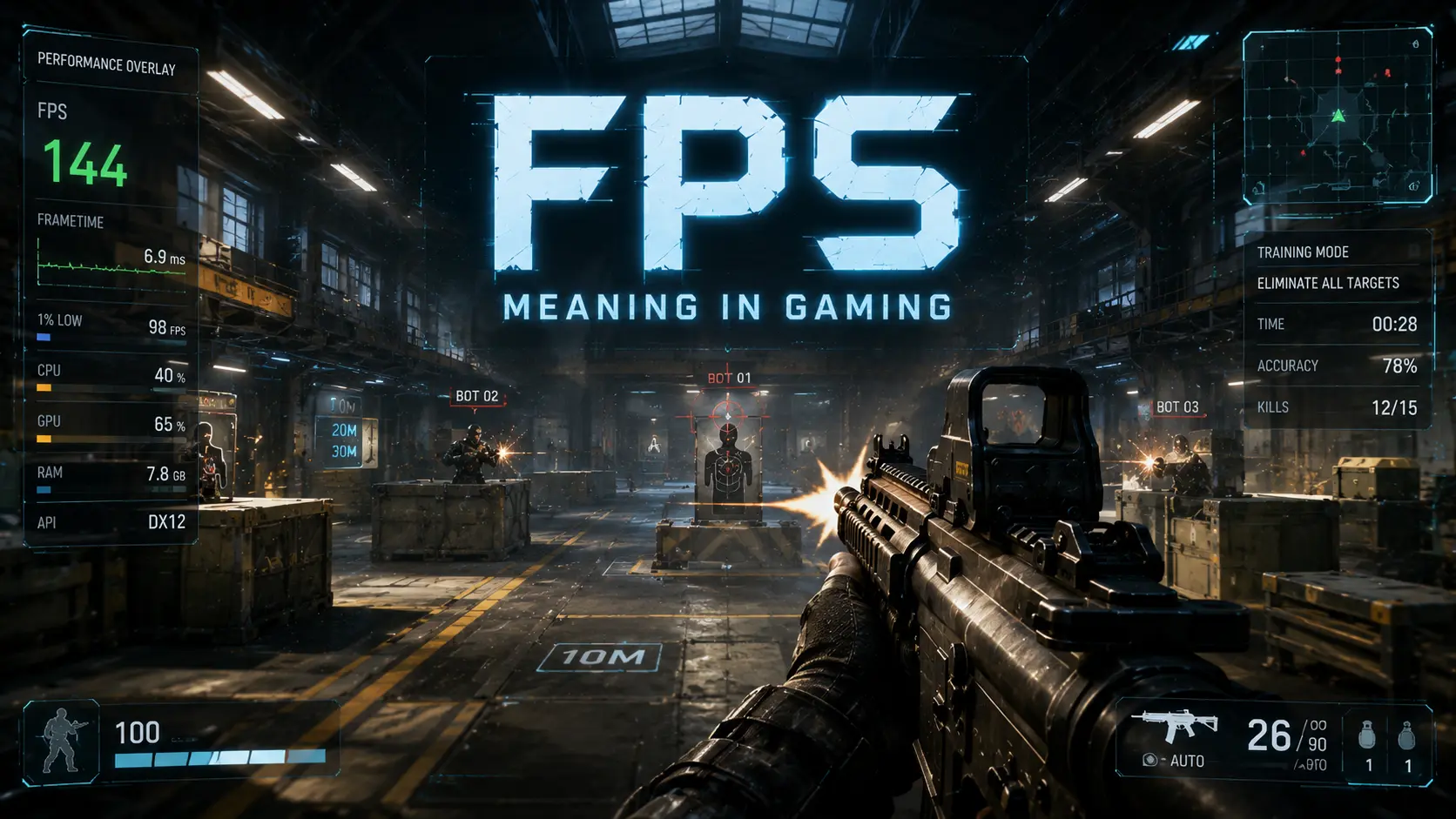
FPS Meaning: Frames Per Second Explained delves into two essential ideas that share the same acronym but describe different aspects of gaming. In common usage, FPS stands for frames per second, a measure of how many distinct images your system can render each second, which translates into how smooth motion feels during rapid camera movements or fast-paced actions. FPS also stands for first-person shooter, a game genre defined by a weapon-based perspective and immersive viewpoint, where the term can be conflated with performance metrics by casual players. Understanding the distinction is crucial for evaluating gaming performance, selecting appropriate hardware, and optimizing settings without confusing gameplay feel with genre classification. This section lays the groundwork for practical guidance on measuring, comparing, and improving FPS in a wide range of titles.
What ‘FPS’ stands for: Frames Per Second vs First-Person Shooter
At its core, FPS comprises two distinct concepts that share an acronym but influence your experience differently. Frames Per Second quantifies the rate at which unique frames are drawn on screen, shaping motion coherence, while First-Person Shooter describes a genre and camera perspective that defines how you interact with the game world.
- Frames Per Second is a measure of how many unique images your graphics system can render per second, which directly affects motion smoothness and the perceived fluidity of action.
- First-Person Shooter refers to a game genre with a gun-based perspective, where the camera and field of view drive the sense of presence, independent of frame rate.
- In practice, FPS is influenced by hardware, settings, and software, so higher FPS typically improves smoothness, while diminishing returns may appear beyond certain thresholds.
- Distinguishing the two meanings reduces confusion during setup, especially when optimizing graphics for FPS versus selecting a game that emphasizes gunplay and tactical pacing.
- For clarity, refer to FPS benchmarks and performance measurements to separate raw frames per second from the user experience of responsiveness and control.
Despite their different meanings, you should treat FPS as a performance metric rather than a badge of quality for a game you are playing. Higher FPS generally provides smoother visuals and faster, more precise input response, which can translate into a measurable edge in fast-paced scenarios, whereas confusing FPS with genre can lead to misguided expectations about visuals, gunplay, or pacing. In practice, balancing the target FPS with resolution, effects, and system stability often yields the best overall experience. Keep an eye on frame time consistency as well as average FPS to avoid sudden stutters.
How FPS (frames per second) is measured and perceived
Measuring FPS involves counting how many complete frames are drawn in one second and often includes tracking frame times to understand consistency. Modern benchmarking tools record not only average FPS but also percentile values (for example, 99th percentile frame times) to capture occasional dips that affect perceived smoothness. Perception of FPS is not solely about the average number; it hinges on frame-time distribution, micro-stutters, and the viewer’s sensitivity to motion. In practice, most players notice a clear difference when moving from 30 to 60 FPS, and again when moving from 60 to 120 FPS, with diminishing returns evident as the curve flattens beyond high refresh-rate targets.
To translate measurements into actionable outcomes, gamers and engineers look at both the raw FPS and the consistency of frame delivery. A stable 60 FPS with minimal dips often feels better than an unstable 90 FPS that frequently drops to 40 or 50. Different games can have unique rendering paths and timing sensitivities, so FPS measurements should be contextualized within the specific title, graphics settings, and hardware configuration. Monitoring tools commonly report frame times in milliseconds, which provides a direct view of latency between rendering work and display output. By combining FPS benchmarks with real-world playtesting, you can tailor settings to achieve a smooth, responsive experience that aligns with your expectations and monitor capabilities.
Why FPS matters for gameplay and visual quality
FPS is a cornerstone of how players experience a game beyond its story, visuals, and audio. It directly influences how quick your input translates into on-screen action, which in turn affects timing, accuracy, and your ability to react to threats. In fast-paced genres like shooters and racers, every frame can count, and even small differences in frame duration compound into noticeable changes in perceived responsiveness. The relationship between FPS and gameplay quality is not purely linear; players perceive smoothness through consistent frame pacing, not just the average FPS number. A game that averages 90 FPS but occasionally dips to 45 FPS can feel less responsive than one that maintains a steady 60 FPS with fewer drops, because abrupt frame-time spikes interrupt the flow of motion.
From a visual quality perspective, higher FPS tends to reduce motion blur and make motion more legible, which helps with tracking fast targets and maintaining awareness during rapid camera moves. This improved clarity often translates to better immersion, since the environment feels more reactive and less like a sequence of stuttering frames. However, turning up FPS by aggressively lowering image quality can also degrade visual fidelity, making textures look blocky, shadows jagged, or lighting less nuanced. The key is to optimize a balance between frame rate and image quality that preserves the intended aesthetic while keeping motion fluid. In competitive play, players frequently pursue a clean, reliable frame time distribution: stable 60 Hz or higher with minimum variability, paired with a refresh rate that matches or exceeds the FPS target. Benchmarking across titles and patches helps reveal where your hardware falls on an FPS curve and whether software updates improve frame times or introduce new bottlenecks.
Practical FPS optimization involves a mix of hardware tuning and software adjustments. Lowering resource-intensive effects, enabling resolution scaling techniques such as DLSS or FSR, and reducing texture detail can yield meaningful gains in FPS without destroying core visual cues. Some players also experiment with different rendering paths, anti-aliasing methods, and monitor settings to squeeze out extra headroom. It is important to monitor both average FPS and frame time consistency, because a high average can hide occasional frame drops that disrupt play. Finally, remember that FPS is one piece of the broader performance puzzle: upgrading a GPU, CPU, or memory often yields diminishing returns if other parts of the system or the game engine bottleneck render throughput. By evaluating FPS alongside latency, input responsiveness, and graphics quality, you can craft an experience that feels both smooth and visually coherent.
Core Features and Benefits of Our FPS Solutions
Our FPS solutions focus on delivering smooth, predictable performance that gamers can feel in every moment of play. FPS quality is a practical metric that affects how quickly you can react, how accurately you can aim, and how consistently scenes stay fluid during intense firefights. We aim for reliable frame rates, low latency, and stable gameplay across a wide range of titles and hardware, so you can concentrate on strategy rather than technical limits. Our approach combines intelligent rendering budgets, careful optimization, and clear feedback to translate numbers into tangible gains at the moment you press a button. Whether you’re chasing higher frame counts or seeking a steady, responsive experience, our FPS solutions align with modern gaming expectations and real-world gameplay.
Performance features: frame rate, stability, and latency
Our FPS solution suite centers on delivering tangible, player-facing improvements to motion, responsiveness, and consistency.
- Adaptive frame pacing maintains steady motion across scenes, reducing perceived stutter and enabling more precise aiming during rapid exchanges and high-action sequences.
- Low-latency input processing reduces the time between a player action and its on-screen result, creating a responsive feel that supports precise timing in competitive play.
- Frame rate targets tailored to your hardware ensure the most consistent visuals possible, minimizing drops and preserving clear motion during fast chases and explosions.
- Latency masking and predictive rendering keep interactions feeling immediate, even when occasional server delays or network variance are present, preserving player confidence during critical moments.
- Stability features monitor FPS trends and adjust rendering workloads to prevent abrupt changes, delivering a smoother experience across long gaming sessions.
These features collectively translate into smoother gameplay, faster reaction times, and a more reliable competitive environment.
Compatibility and optimization across hardware
To accommodate the diverse hardware used by gamers today, our FPS solutions are designed to work across a wide range of systems and configurations. On PC, we support both midrange and high-end builds through adaptive rendering paths, scalable texture budgets, dynamic shadow cascades, and intelligent load balancing that preserves frame timing even during crowded combat. We optimize for popular graphics APIs such as DirectX 12 and Vulkan, enabling lower overhead, better multi-core utilization, and improved CPU/GPU coordination, while avoiding intrusive tweaks that could destabilize performance. For console environments, we tailor optimizations to fixed hardware tiers, focusing on stable frame pacing, efficient memory usage, fast shader compilation, and driver-level tweaks that minimize stutter while maintaining visual fidelity. For cloud and streaming platforms, we prioritize latency-aware rendering pipelines, adaptive streaming bitrates, and perceptual compression techniques to keep gameplay responsive even when bandwidth fluctuates, latency spikes occur, or packet loss happens. We also consider mobile devices and standalone headsets by lowering resolution targets, using dynamic resolution scaling, foveated rendering where supported, and ensuring touch or gyro inputs translate into immediate character movement and camera control. Across all platforms, we provide guidance on optimizing graphics settings, including resolution, anti-aliasing, shadows, post-processing, texture quality, and motion blur, to balance image quality with frame rate under real-world conditions. Our optimization methods include automated profiling, API-aware code paths, and platform-specific presets that simplify configuration without sacrificing performance, along with real-time telemetry that flags bottlenecks as soon as they appear. We maintain a library of validated hardware profiles and benchmark results that demonstrate expected outcomes across titles, so players can anticipate how changes to drivers, patches, or settings will affect FPS in practice. Finally, we emphasize robust testing across a broad suite of titles and hardware permutations, plus clear upgrade guidance, so players experience a consistent baseline and know when a system is ready for an upgrade.
Player benefits: responsiveness, competitive edge, accessibility
For players across the skill spectrum, FPS quality is not abstract; it directly shapes how quickly you can react, aim, and track targets. Responsiveness is most visible in input latency, where even a few milliseconds matter in fast exchanges; our systems minimize this gap by optimizing input handling, thread scheduling, and render-to-display pipelines. Competitive players benefit from stable frame pacing and predictable frame times, reducing micro-stutters that disrupt timing windows and erode confidence during clutch moments. In practice, consistent FPS translates to faster lock-ons, smoother recoil control, and more reliable aim when enemies appear at the edge of your vision. Accessibility remains a core consideration; we offer adjustable motion blur, high-contrast options, color-adjusted palettes, and scalable UI hints so players with varied needs can perceive and react without strain. Our approach also supports meaningfully reduced cognitive load through clear visual feedback and customizable overlays that emphasize critical cues. Beyond individual players, smooth FPS supports strategic decisions, improved map awareness, and longer, more comfortable sessions for casual gamers and newcomers. For esports and rank-play audiences, our emphasis on low latency monitors, consistent frame times, and predictable GPU demand helps sustain peak performance across the hardest maps and players. We also track metrics like frame time variance and input lag, providing dashboards that guide adjustments for the best gains. Ultimately, reliable FPS contributes to a smoother, more enjoyable, and less fatiguing gaming experience, with upgrades or settings changes delivering tangible improvements in your daily play. We offer accessibility tools such as screen-reader compatibility, scalable UI, and captioning that stays synchronized with gameplay cues, ensuring a broad audience can engage fully. For players prioritizing energy efficiency, we propose modes that preserve responsiveness while extending battery life on portable devices. In short, the foundation of solid FPS is a practical enabler of confidence, precision, and enjoyment across genres and skill levels.
Specifications and Technical Details
FPS stands for frames per second and measures how many individual frames your game renders each second. In gaming terms, higher FPS generally translates to smoother motion and more responsive controls. FPS is influenced by GPU, CPU, memory, storage, and the game engine, and it can vary across titles and settings. This section outlines recommended FPS targets, how rendering engines and GPUs affect outcomes, and a practical troubleshooting guide for common FPS problems. You will also find benchmarks, hardware guidance, and optimization tips to balance visuals with performance on different monitors.
Recommended FPS targets and hardware requirements
For most players, realistic targets align with their monitor’s refresh rate and the game genre.
The following table maps target FPS to typical GPUs, CPUs, RAM, and settings to help you plan upgrades.
| Target FPS | Typical GPU | Typical CPU | Minimum RAM | Resolution/Settings | Notes |
|---|---|---|---|---|---|
| 60 | NVIDIA GeForce GTX 1660 Super | Ryzen 5 3600 | 16 GB | 1080p High | Balanced for most 60 Hz monitors; good for story-driven titles |
| 120 | NVIDIA GeForce RTX 2060 / AMD RX 5700 XT | Ryzen 5 5600X | 16 GB | 1080p High to Ultra | Suitable for high-refresh displays on fast titles |
| 144 | GeForce RTX 3060 Ti / RX 6700 XT | Ryzen 7 5800X | 16 GB | 1440p Medium–High | Good balance for 144 Hz monitors; adjust shadows/AA as needed |
| 240 | GeForce RTX 4070 / RTX 4080 | Ryzen 9 5900X | 32 GB | 1080p or 1440p | Best for competitive titles on 240 Hz monitors; emphasize low-latency settings |
Keep in mind that individual results vary with game engine and scene complexity, so use these targets as a baseline rather than a guarantee.
Regular benchmarking on your own system is the best way to confirm what you can expect in practice.
How engines and GPUs affect FPS
FPS is shaped by the rendering pipeline used by the game engine, how well it scales across CPU cores, GPU shaders, and memory bandwidth.
Engine differences matter; Unreal Engine, Unity, and proprietary engines optimize draw calls, culling, and post processing differently, which can shift frame times.
A single scene can be CPU-bound during AI and physics work or GPU-bound during lighting, shadows, and texture streaming, so bottlenecks move with the workload.
Understanding these differences helps you tailor settings, frame targets, and hardware choices to the titles you play.
Troubleshooting common FPS problems
Low FPS can stem from a variety of causes, including drivers, background activity, and thermal issues. Use a methodical checklist to identify the root cause.
When you encounter stuttering or sudden drops, start with driver and software updates, then test in a simplified scene to measure baseline performance.
Apply fixes one at a time and re-test so you can see which change produced an improvement and avoid introducing new problems.
Promotions, Bundles, and Support
On this page, you’ll find the latest promotions and bundles tailored for FPS players and readers seeking a smoother gaming experience. Whether you’re chasing higher Frames Per Second, sharper visuals, or more reliable performance, our promotions are designed to boost Gaming performance without breaking the bank. We regularly update offers that pair FPS optimization with hardware and software bundles, from monitor upgrades to service plans that help you measure and improve FPS. You’ll also discover support resources, including community forums, live help, and patch notes, to keep you informed about FPS benchmarks and how updates affect gameplay. Use these promotions to compare options, compute ROI, and pick packages that align with your play style and budget. This section aims to make it easier to access reliable bundles and timely assistance as you chase a smooth, competitive gaming experience.
Current promotions and bundles for FPS players
Current promotions and bundles for FPS players are designed to help you raise frames per second, reduce input lag, and improve overall gaming performance without requiring a complete PC overhaul. We focus on realistic, practical options that mix hardware upgrades with software tools and service credits that directly impact your FPS benchmarks and the smoothness of gameplay. Our goal is to offer clear, transparent choices so you can see exactly what you get and how it affects your frame pacing across popular titles. Hardware-focused bundles combine components known to support higher frame rates, such as high-refresh monitors, GPU-friendly configurations, and latency-reducing peripherals. Software add-ons include FPS optimization licenses, driver presets, and calibration guides that translate to measurable gains in FPS calculation and stability. Some bundles also come with coaching or consultation sessions to help you tailor settings for your favorite games and display setups. Discount levels vary by bundle and eligibility. Many offers are open to new customers, returning players, students, or members of partner programs, with additional savings for multi-bundle purchases or longer-term commitments. To participate, you typically need to sign in to your account, add the bundle to your cart, and apply a promo code at checkout; some offers are automatically applied when you reach a minimum spend. The promotions page clearly lists the current window, the exact savings, and any stacking rules with other discounts. Redemption and after-sales support are built into each bundle. You’ll receive an installation guide, a license key for any FPS optimization software, and access to online resources about FPS benchmarks and how updates affect performance. If you encounter issues or the frame rate targets aren’t being met, our support team can help you troubleshoot, run performance tests, or adjust configurations to close gaps in your FPS stability. We also publish regular promotions recaps and FAQ updates so you can stay informed about changes in terms, conditions, and future offers. Our aim is to deliver measurable improvements in frames per second and a more consistent gaming experience for both casual players and competitive FPS fans.
Support options: forums, live support, and updates
Our support options provide multiple ways to get help with FPS performance, ranging from community forums to real-time assistance and timely patch information. Forums offer a searchable knowledge base with threads on understanding frame rates in gaming, improving FPS for better gaming, and measuring FPS in different games, all moderated to keep discussions constructive and reliable. Live support is available through chat and email with regional coverage during peak hours, offering driver recommendations, hardware compatibility guidance, and help adjusting graphics settings to optimize FPS. Updates and patch notes describe the impact on FPS, visuals, and stability with each release; you can opt into update alerts to stay informed about fixes, new features, and any performance regressions. Response times are tracked in our service level agreements, with typical live chat responses within minutes and email tickets acknowledged within a business day. Escalation paths are clearly defined to connect you with senior engineers when a problem requires deeper investigation. We also publish frequent FAQs and how-to guides that explain How FPS affects gameplay and provide practical steps to measure FPS in different games using common benchmarking tools.
How to choose the right package for your needs
Choosing the right package starts with your target FPS and the display you use, whether a 1080p 144 Hz setup or a higher-resolution monitor that benefits from GPU headroom. Start by assessing your current rig: if your CPU, GPU, and RAM already meet the demands of your favorite titles at your desired frame rate, you might prioritize software licenses and coaching to improve efficiency and optimize graphics settings for FPS. If your hardware is older or underpowered, a hardware upgrade bundle paired with performance coaching can deliver more noticeable gains and a quicker path to the desired smoothness. Budget constraints will guide decisions about investing in a monitor upgrade, GPU upgrade, or a combination of software licenses and service credits. Match your playstyle to the package: competitive players typically seek higher FPS stability and lower input latency, so bundles that offer faster driver tuning and live coaching may be worth the extra cost, while casual players may prefer a balance of visuals and performance with accessible calibration guides. If you stream or create content, consider bundles that include performance monitoring tools and dedicated support to adapt to new titles and patches. Evaluate long-term value by considering total cost of ownership, the uplift in FPS benchmarks, and ease of maintenance across updates; use our checklists to compare packages against measured baselines and common games, and plan a short re-testing window after applying a bundle to validate gains and adjust settings as needed.