Waypoint Meaning in Gaming: Definition and Core Concepts
In modern games, a waypoint is a navigational marker that guides players through expansive worlds. It can appear as a glowing icon above a distant landmark, an arrow at the edge of the screen, or a highlighted tile on the map. Waypoints anchor a player’s sense of direction, reducing aimless wandering while preserving exploration. In many games, waypoint markers tie directly to quests, exploration milestones, or fast-travel hubs. These markers support navigation in a way that blends accessibility with player choice and strategic pacing.
What is a waypoint?
A waypoint is a navigational marker that indicates where a player should go next or how to reach a meaningful destination within a game world. It can appear as a glowing icon above a distant landmark, an arrow at the edge of the screen, or a highlighted tile on the map. Waypoints anchor a player’s sense of direction, reducing aimless wandering while preserving the thrill of discovery. In most games, waypoint markers connect to quests, exploration milestones, or fast-travel hubs. The core idea is to provide guidance without removing agency from navigation.
Beyond simple location pins, waypoints often incorporate distance cues, line-of-sight checks, and pathfinding hints to guide movement. Some designs require players to encounter a sequence of markers to unlock a path, while others update in real time as the player progresses, creating a dynamic sense of progress. The simplest form remains a static marker that always points toward a fixed destination, offering reliable navigation even in rugged terrain.
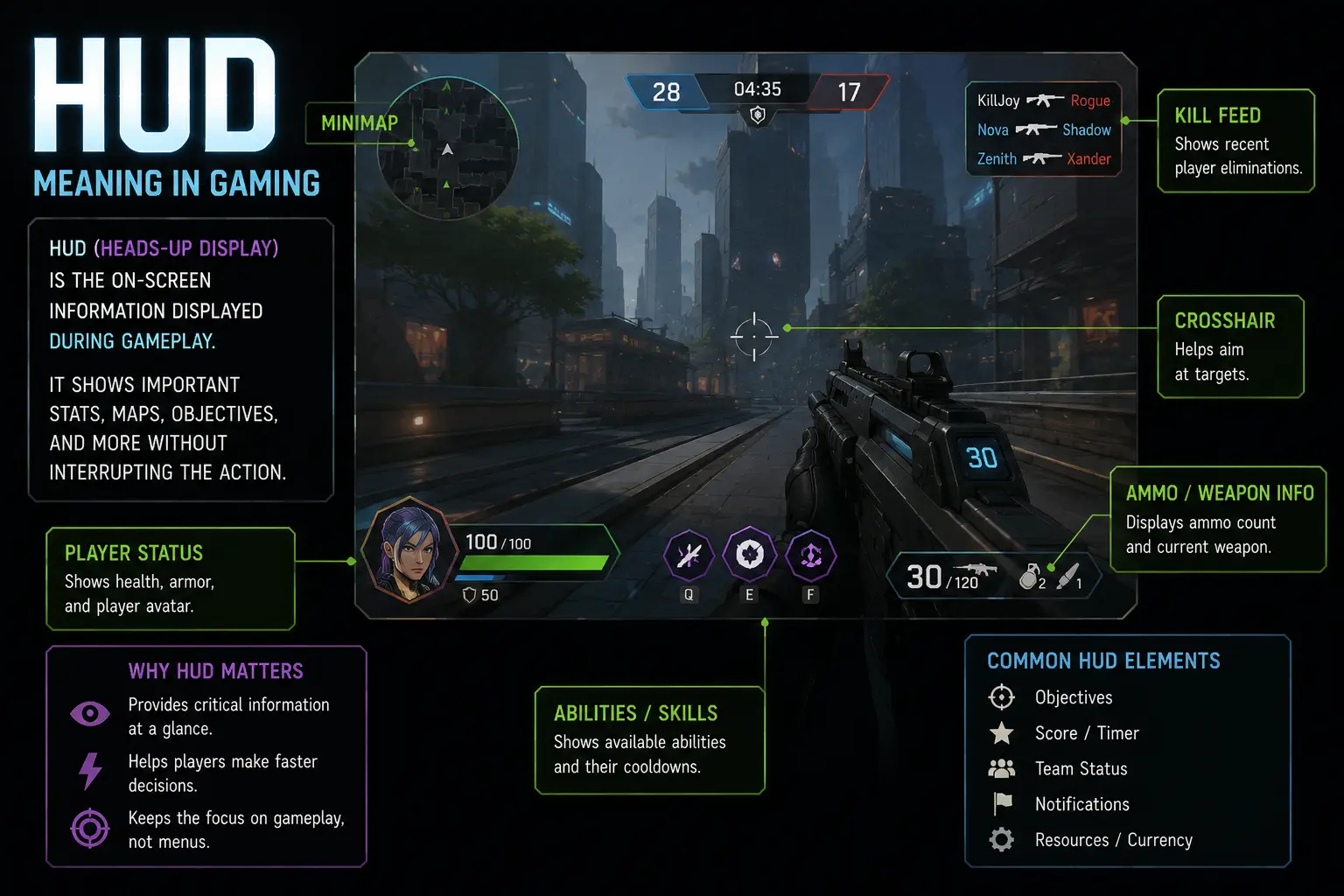
In practice, waypoint systems blend with the map, HUD, and environmental signals to create a cohesive navigation experience. Players learn to read markers by color, shape, or animation, which reduces cognitive load during tense moments. The result is an intuitive navigation toolkit that supports both casual exploration and targeted objective pursuit.
Different genres leverage waypoints in distinct ways: open-world adventures favor flexible markers tied to exploration, while action games use precise objective pins to maintain combat pacing. Even roguelikes and strategy titles deploy waypoint guidance for retreats, repositioning, or skirmish planning. Understanding the core concept—markers that direct players toward meaningful destinations—helps readers appreciate how navigation design shapes gameplay.
History and evolution of waypoints
Waypoints emerged from the need to guide players through increasingly large game spaces. Early RPGs and platformers relied on hand-drawn maps, quest notes, and static markers that announced objectives only when players paused to check a map. As consoles and PCs offered better graphics and bigger worlds, developers layered on new cues such as arrows over the terrain and glowing icons to help players orient themselves without constant map scrutiny.
In the 3D era, the minimap became a standard tool, and waypoint markers moved from the world alone to the UI as the player’s primary navigation aid. Open-world games popularized dynamic markers that adapt to progress, events, and terrain, while quest design tied marker visibility to mission flow. Multiplayer titles introduced shared navigation cues, ensuring teams stay coordinated without overloading individual players with information.
As technology advanced, GPS-like features and ambient cues further integrated waypoints into gameplay. Designers learned to balance clarity with immersion, using color coding, animation, and spatial audio to convey direction. The evolution reflects a broader shift from linear corridors to expansive sandboxes in which players choose where to go and when to engage, with waypoints acting as flexible signposts rather than rigid rails.
Today, waypoint systems are a core element of navigation in many genres, from story-driven adventures to fast-paced shooters. They support guided gaming experiences, assist map reading, and help players maintain momentum across long journeys. The ongoing challenge for designers is to provide meaningful direction without removing the sense of exploration or surprise.
Types of waypoints (fixed, dynamic, quest)
Waypoints come in several flavors that serve different design goals.
The following table outlines fixed, dynamic, and quest markers and how they typically function in games.
| Type | Definition | Typical Use | Pros | Cons |
|---|---|---|---|---|
| Fixed | A waypoint anchored to a static map location that does not move. | Guides players along a predetermined route or toward a landmark. | Reliable and easy to memorize. | Lacks adaptability in dynamic environments. |
| Dynamic | A marker that can relocate in response to events, progress, or player actions. | Adapts to world changes and supports non-linear exploration. | Flexible navigation; supports emergent paths. | Can confuse players if markers move too often. |
| Quest | Markers tied to quest steps or narrative milestones. | Directs players through story objectives and pacing. | Clear progression; helps prevent wandering. | Can feel restrictive if overused. |
Understanding these distinctions helps designers balance navigation, pacing, and player agency.
Properly tuned, markers remain helpful without breaking immersion.
How waypoints are represented in UI and maps
Waypoints are visually represented in multiple ways to support quick decision-making.
Different games emphasize distinct patterns to avoid clutter while preserving readability.
- Arrow indicators on the HUD point the player toward the destination and adjust as the player moves, offering continuous directional guidance without forcing frequent map checks.
- Iconic pin colors and shapes encode priority, with primary objectives glowing brighter or pulsing, secondary markers dimming slightly to prevent information overload during critical moments.
- Minimap and world-space markers synchronize so players can compare a quick glance at the map with in-world anchors, keeping navigation efficient without breaking immersion.
- Environmental cues such as illuminated paths, guiding lights, or footprints reinforce waypoint direction without relying solely on icons, enhancing intuition during exploration.
- Dynamic updates can reposition markers as the world changes, preserving relevance when doors, terrain, or events create new routes to the ultimate objective.
- Accessibility options such as larger icons, higher contrast, and optional subtitles for marker descriptions ensure navigation remains inclusive for diverse players.
Designers balance clarity with minimal clutter to maintain immersion.
Familiar patterns speed navigation and reduce cognitive load during fast-paced play.
Common mechanics and behaviors
Most waypoint systems start with direct player input: you click or tap a marker to set a destination, then observe a path preview on the minimap or a guiding line in the world. In many games, activating a waypoint flips on a route visualization that shows the intended path, distance, and estimated travel time. Players often have control over how aggressively markers update, and can toggle auto-follow or manual steering during movement. The result is a navigation loop that feels responsive and rewards smooth exploration or precise objective pursuit.
Triggers for waypoint behavior include proximity to the marker, completion of prerequisite tasks, or reaching a waypoint in a multi-step quest. Some events cause markers to glow brighter, while others make them disappear once the objective is achieved, preventing clutter. The system also interacts with movement mechanics such as sprinting, auto-run, and map zoom, aligning navigation with overall game tempo.
From a design perspective, waypoint mechanics influence pacing and player agency. An overabundance of active markers can overwhelm players and dilute the sense of discovery, while too few markers may leave players lost. The best implementations balance clear guidance with opportunities for independent exploration, offering optional hints or adaptive cues that react to a player’s progress and preferences.
Waypoint Features and Technical Specifications
Waypoint features form the backbone of navigational systems in modern games, helping players orient themselves in complex worlds. They translate abstract maps into tangible cues that mark objectives, safe paths, and points of interest. By balancing clarity with minimal intrusion, waypoint markers support smooth exploration across genres, from sprawling open worlds to tightly designed levels. Understanding these features and their technical underpinnings reveals why waypoint design affects immersion, pacing, and player agency. This section outlines the core concept of waypoint features and the practical specifications that guide their implementation.
Core features of waypoint systems
Waypoint systems in modern games act as navigational scaffolding, anchoring players to a shared reference frame and reducing disorientation as increasingly complex environments unfold. They harmonize map data, player progression, lighting cues, and environmental context to deliver a cohesive sense of direction, even when the world is vast or procedurally generated. By combining fixed coordinates with adaptive triggers and dynamic biasing, designers can guide exploration while preserving freedom of movement and player choice. This balance is vital for establishing intuitive onboarding, pacing, and accessibility across genres that range from sprawling open worlds to tightly designed linear experiences. In practice, a well-crafted waypoint system can provide subtle nudges toward objectives, mark safe paths through dangerous terrain, and annotate points of interest without overwhelming the player with information. The following core features summarize the essential capabilities developers expect from robust waypoint implementations and illustrate how those capabilities translate into tangible gameplay benefits.
- Precise coordinate placement lets designers anchor waypoints to exact map locations or named landmarks, enabling predictable navigation and repeatable routes across different play sessions.
- Dynamic path weighting adjusts routes based on player speed, terrain, or danger, helping maintain pacing and prevent players from getting stuck or overwhelmed.
- Event-driven markers can trigger quests, reminders, or environmental cues as players approach, enriching immersion without requiring constant manual updates by designers.
- Relative versus absolute coordinate systems provide flexibility for dynamic worlds, allowing actual player position to redefine nearby waypoints without reauthoring every point.
- Cross-session persistence ensures waypoint data survives restarts and platform changes, supporting consistently mapped layouts, synchronized friend lists, and seamless collaborative exploration across devices.
In practice, this feature set supports onboarding new players, enabling guided missions without removing challenge. It also scales to multiplayer contexts, where synchronized markers help teams stay coordinated. For localization and accessibility, clear contrast between markers and terrain, consistent color schemes, and straightforward text prompts ensure markers remain legible for players with vision or cognitive differences. When implemented with performance in mind, waypoint systems minimize runtime lookups, reduce redraw costs, and avoid excessive state synchronization in crowded scenes. Developers should also consider testing marker visibility under dynamic lighting conditions and across different screen sizes to maintain reliable wayfinding for all players.
Implementation approaches (client-side, server-side, hybrid)
Client side implementations place marker data inside the local game instance, yielding immediate feedback, low latency interactions, and smooth scrolling of the map. This approach is ideal for single player experiences or titles with limited need for cross user synchronization, because it avoids round trips to the server and can be cached in memory or on disk. However, client side solutions risk divergence when multiple clients modify geometry, unlocks, or routes concurrently, which can create inconsistent waypoint states across players. Server side architectures centralize waypoint data, coordinates, and persistence, providing a single source of truth that simplifies cross user synchronization and global progression tracking. The trade off is that every interaction often requires a round trip, increasing latency and demanding robust network reliability. A hybrid pattern seeks to combine the strengths of both: core map topology and authoritative state remain on the server, while frequently accessed markers are cached on the client to preserve responsiveness. Designers must consider data ownership, security implications, and synchronization models to prevent exploits and ensure fairness in multiplayer contexts. Factors such as update frequency, delta encoding, and optimistic updates influence perceived responsiveness, and engineers frequently implement versioning and conflict resolution to handle concurrent edits. Additionally, the choice of data transfer format matters: compact binary encodings can minimize bandwidth, while readable formats like JSON or YAML ease debugging and tooling. In practice, most games adopt a tiered approach where essential marker metadata travels with clients, optional or unlock based data streams occur on demand, and large-scale maps are streamed progressively as players navigate new regions. This approach supports offline play, reduces server load during peak times, and keeps gameplay snappy even in high latency environments. Documentation and clear data contracts between client and server help avoid integration problems and allow smoother content updates.
Data structures and formats (coordinates, metadata, persistence)
Data structures for waypoint systems must accommodate coordinates, metadata, and persistence across sessions and devices. The first consideration is coordinate representation: 3D space typically uses floating point x, y, z values with a local origin, while 2D maps may rely on grid indices or geographic like equivalents for consistent mapping. Many games store coordinates as compact binary values for speed, while some tools use human readable formats such as JSON for debugging and inspection. Metadata attaches to each waypoint or marker, including label text, color, visibility rules, icon type, proximity triggers, and constraints such as required level or quest status. A robust schema also captures dependencies like unlock criteria, cooldowns, or area permissions, enabling dynamic behavior when the map changes or the player progresses. Persistence strategies range from in memory caching for immediate interaction to on disk and cloud saves for cross device continuity. For client side persistence, lightweight storage keeps recently used markers handy and reduces stutter when reloading a level. Server side persistence centralizes the canonical map, ensures consistency across players, and supports cross session play. When designing formats, teams weigh schema evolution, backward compatibility, and tooling support. Versioned schemas, clear field definitions, and migration paths help avoid breakages during patches or feature toggles. Spatial indexing structures such as k-d trees or voxel grids accelerate proximity queries, while region partitioning supports streaming large maps in chunks. Finally, data validation and integrity checks guard against corrupted data, and audit trails enable debugging when markers disappear or change unexpectedly. Security considerations include enforcing server authoritative checks for critical operations and preventing spoofed marker data from degrading gameplay. In addition offline or disconnected play benefits from a well defined fallback path and graceful degradation of marker features.
Performance and networking considerations
Latency is a critical factor because players perceive delays when markers update or new routes appear. To minimize perceptible latency, developers cap update rates, decouple rendering from state synchronization, and use client side prediction for marker visibility. Bandwidth is scarce on mobile networks, so delta encoding, region of interest filtering, and compressing metadata help keep traffic manageable. For multiplayer, state synchronization strategies vary: fully authoritative servers guarantee consistency but can introduce lag, while partly replicated or event driven approaches improve responsiveness at the risk of brief inconsistencies that are resolved through reconciliation. Transport choices commonly mix UDP for fast updates with occasional reliable channels for critical metadata. Rendering considerations also matter: marker icons and paths should be batched, drawn with efficient shaders, and culled when out of view to preserve frame rates. Caching and prefetching strategies reduce loading times as players explore new regions, and level streaming ensures that only nearby markers are loaded. Telemetry and profiling identify hotspots where markers cause CPU or memory spikes, guiding optimization decisions. Robust error handling, retry policies, and graceful fallbacks help maintain navigation functionality in the face of network instability. Finally, testing across devices and network conditions is essential to ensure consistent waypoint behavior in diverse gameplay scenarios.
Benefits, Use Cases, and Competitive Advantages
Waypoint meaning in gaming centers on markers that guide players through virtual spaces. These navigation cues, often visible on the map or screen as arrows, pins, or glowing icons, help players orient themselves and plan routes. A well-implemented waypoint system improves navigation in games, reduces aimless wandering, and supports pacing during quests and battles. By providing clear destinations and follow-up indicators, waypoints also support accessibility by easing navigation for players with diverse abilities. Understanding waypoint meaning in gaming reveals how developers balance guidance with discovery to create engaging experiences.
Gameplay benefits (navigation, player retention)
Waypoint functionality directly affects how players move through a game’s world. When markers clearly point toward objectives, players experience reduced uncertainty and a smoother learning curve, which in turn lowers early frustration and dropout rates. Navigation becomes a seamless activity, allowing players to focus on exploration, combat, or puzzle solving rather than constantly pausing to locate the next target. In turn, this supports longer play sessions and higher retention, since players feel confident moving between important locations. The cognitive load of navigation is distributed across visible cues and contextual hints, which helps newcomers acclimate and gives seasoned players a sense of efficiency. Designers can tune accuracy, density, and visual language so waypoints guide without overpowering the sense of discovery. For accessibility, options such as scalable markers, high-contrast colors, and screen-reader friendly descriptions ensure that waypoint information is perceivable by players with varying abilities. The ultimate goal is to provide just enough guidance to keep players oriented while preserving surprise and agency. Emphasizing the balance between direction and exploration, good waypoint systems support pacing by signaling safe routes, hazard zones, or alternative paths when necessary. When implemented with consistency, these cues become second nature, letting players form mental maps and build strategies around their routes. In competitive or time-limited modes, precise indicators for checkpoints and optimal paths help players measure progress and compete fairly. Across platforms, you’ve got additional design considerations—touch, mouse, controller, and keyboard input must all translate waypoint signals into intuitive actions. In summary, waypoint functionality acts as the backbone of navigational intuition in gaming, shaping how players experience space, time, and progression. Beyond simplicity, waypoint design can facilitate learning curves for complex worlds. Progressive disclosure, such as temporary quest radii or micro-tunnels of direction, helps players build confidence before issuing broad map markers. When developers align waypoint cues with level design, players experience a cohesive sense of place, making exploration feel purposeful rather than arbitrary. In co-op experiences, shared waypoints synchronize team movement, reducing miscommunication and enabling coordinated tactics. Finally, analytics about waypoint usage reveal how players navigate space, informing adjustments to marker density, color schemes, and iconography for future patches.
Common use cases across genres (RPG, open world, MMOs, racing)
Across genres, waypoint use cases adapt to pacing, discovery, and social coordination.
- In RPGs, quest markers and waypoint hubs guide players toward key objectives, companion NPCs, and story beats, reducing exploration frustration while preserving moments of discovery.
- Open-world games rely on environmental cues and map nudges to encourage safe detours, territory exploration, and strategic resource gathering without overwhelming the player.
- In MMOs, minimaps and waypoint portals synchronize group movement, coordinate raids, and help players locate dungeons, markets, and crafting hubs during peak activity periods.
- In racing titles, route markers and checkpoint indicators guide players along optimal lines, support time trial modes, and reinforce feedback loops that reward precision and consistency.
These patterns help designers balance guidance with freedom, ensuring players stay engaged and oriented across complex game worlds. Across genres, waypoint use cases adapt to pacing, discovery, and social coordination. These patterns help designers balance guidance with freedom, ensuring players stay engaged and oriented across complex game worlds. As a result, players feel guided yet free to explore.
Accessibility and UX advantages
Waypoint systems contribute to UX accessibility in multiple ways. Clear, consistent icons and labels reduce cognitive load, while scalable markers support players who rely on zoomed-in views or larger UI elements. Color choices that maximize contrast and are friendly to color-blind players prevent misinterpretation of signals during fast action. Keyboard, controller, and mouse inputs should translate cues intuitively, enabling swift actions like following a waypoint without requiring complex sequences. Screen-readers can announce marker names, distances, and directions to players who navigate primarily with audio cues. Localization ensures labels and hints remain meaningful in different languages, improving accessibility across regions. Finally, designers should test markers in varied lighting conditions and across devices to guarantee visibility and reliability under real gameplay stress.
Competitive advantages for developers/publishers
A robust waypoint system can differentiate a game by improving onboarding, retention, and perceived quality. Clear guidance reduces early confusion for new players, shortening the time to meaningful progression and increasing first-time completion rates. Consistent waypoint language across platforms—PC, console, and mobile—helps players transfer skills, reducing friction when switching devices. Data on waypoint usage informs balance decisions, UI density, and level design, enabling iterative improvements in patches and live operations. From a business perspective, predictable navigation reduces customer support tickets and boosts player satisfaction, which supports longer subscription cycles, day-one engagement, and better word-of-mouth. Thoughtful waypoint design also supports accessibility compliance and broadens the potential audience.
Pricing, Plans, and Special Offers for Waypoint Services
Waypoint services come with a range of pricing models designed to fit indie developers, growing studios, and enterprise teams. The most common structures include subscriptions that grant access to features for a fixed period, usage based pricing tied to map rendering or waypoint processing, and perpetual licenses with optional maintenance. When evaluating plans, consider not only the sticker price but also feature access, platform support, API limits, and the potential to scale as your game grows. This section outlines typical plan types, compares what you get at different price points, and offers guidance on how to read trials and licensing terms. You will also find notes on special offers that can reduce upfront costs and an overview of licensing considerations that affect long term viability.
Types of waypoint services and pricing models
Waypoint services fall into several broad categories, each designed to integrate navigation markers with the game engine, map data, and player workflows. Self hosted middleware libraries give developers full control over data locality and processing, but they require more setup, stronger technical skills, and ongoing maintenance. Hosted or managed services remove much of the operational burden by running on cloud infrastructure; they typically charge per project or per user and include regular updates, uptime guarantees, and support as part of the plan. Engine built in navigation tools offer convenience and tight integration with the specific editor, while middleware focused on maps and routes emphasize cross platform compatibility and extensibility. Open source options like recast and detour provide powerful navmesh generation and pathfinding capabilities that teams can adapt but may demand extra development time for integration. In practice, you will encounter four common pricing models: subscription tiers with predictable monthly costs; usage based charges tied to waypoint lookups, route computations, or map tiles; perpetual licenses that include maintenances for a fixed upfront fee; and hybrid models that blend elements of these approaches. For indie projects a low monthly tier or a generous free tier often suffices, while mid sized teams should expect mid range prices that scale with feature access and support levels, and enterprises typically negotiate custom terms, SLAs, and data controls. Regardless of the model, be sure to evaluate how limits on calls, map sizes, concurrent sessions, and update cadence affect your actual workflow and performance. Consider also data residency requirements and whether the vendor offers features such as analytics, telemetry, or offline mode, since these can significantly affect value over time.
Examples of popular waypoint middleware and tools
Popular waypoint middleware and tools span both commercial offerings and open source projects. In engine ecosystems, Unity’s NavMesh and Unreal Engine navigation systems provide built in waypoint generation, pathfinding, and obstacle avoidance that cover most standard game genres. For lighter or custom engines, open source projects like Recast/Detour offer robust navmesh generation and runtime pathfinding that many studios adapt to fit their pipelines. The A* pathfinding project for Unity and similar tools offer approachable interfaces for grid based and graph based pathfinding, enabling rapid prototyping of waypoint logic. For teams integrating external maps or outdoor navigation, SDKs from platform providers deliver geospatial data, map rendering, and routing features that can be embedded into game worlds. Community maintained libraries exist for Godot, libgdx, and other engines, supporting both 2D and 3D waypoint workflows. Between proprietary middleware with comprehensive support and lean open source stacks, developers can assemble a toolchain that balances performance, control, and total cost of ownership.
How to choose a plan: cost vs features
Choosing a plan begins with a clear picture of your technical and business needs. List the core features that matter most to your project, such as supported platforms, navigation accuracy, offline capability, and integration with your existing toolchain. Next estimate usage patterns by projecting peak waypoint computations, map tile requests, or route queries per month, then compare how different plans price these activities. Read the fine print on data handling, telemetry, attribution, and license terms to avoid surprises later, and check whether any plans offer credits for startups or nonprofits. Finally, test the selected options with a trial or sandbox environment to confirm performance, compatibility with your game engine, and the quality of vendor support. A plan that looks affordable on paper may prove costly if it imposes limits that stifle a key gameplay feature, so balance cost with technical fit and long term viability.
Special offers, trials, and licensing considerations
Look for free trials, starter credits, or educational licenses that let teams explore waypoint capabilities before committing. Vendors frequently offer volume discounts, startup programs, or nonprofit rates that reduce costs for prototypes and research projects. Licensing terms vary widely; some agreements grant perpetual rights with annual maintenance fees, others favor subscription models with ongoing access and updates. In all cases read whether source code access is included, if escrow arrangements exist, and what happens upon termination or project expiry. Be mindful of data ownership, usage rights for user generated content, and any geographic or industry restrictions that could affect distribution, localization, or cross border use. Finally, ensure you understand renewal terms, upgrade paths, and support SLAs so you can plan budgets with confidence.